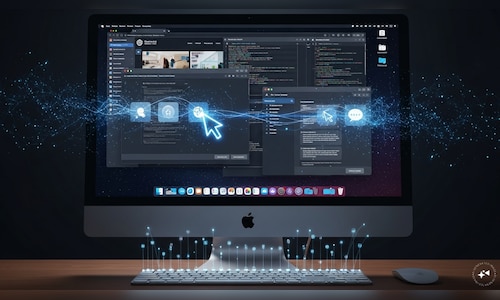
At this moment, it is available in Claude Cowork and Claude Code, but only for the macOS desktop application. Windows support has yet to be implemented.
This update expands Claude’s capabilities beyond simple chat-based interactions. It can now perform actions: click, type, and switch between tools, mimicking a user’s behavior.
Claude Computer Use feature: Functionality across applications and browser
Claude utilizes a layered strategy to accomplish tasks.
It begins with connectors; if services like Gmail, Google Drive, or Slack are integrated, Claude will use them first for efficiency and reliability.
If no connector exists, it transitions to the browser, navigating Chrome to perform actions there.
Finally, it engages in screen interactions, which involve directly clicking buttons, entering text, and opening files. This is slower but offers a broader range of functions.
Anthropic states that Claude “prioritizes the quickest method,” noting that direct integrations minimize errors compared to navigating through the screen.
What tasks Claude can perform
This feature enables Claude to interact with local files and applications effectively.
It can generate reports using stored documents.
Populate spreadsheets with data sourced from various places.
Simulate app testing via a phone simulator.
Even explore internal dashboards that do not have integrations.
Claude is capable of continuing its work while the user is away, requiring only that the computer stays powered on and active.
Permissions and data visibility
Access to applications is not granted automatically. Claude requests permission before it interacts with each app.
Users must consent to every request, with certain types—such as finance and trading platforms—blocked by default.
There is a trade-off, as Claude relies on screenshots to interpret the interface, meaning it can view anything displayed on the screen at that moment, including personal or sensitive information.
Anthropic advises users to be cautious, stating, “Be aware of what’s visible,” and recommends closing confidential files prior to enabling this feature.
Limitations and availability of Claude Computer Use feature
This system is subject to certain restrictions. Claude is programmed to avoid actions related to sensitive data, executing financial transactions, or scraping facial images, although the company acknowledges that these safeguards are not foolproof.
Additional limitations exist: the desktop must remain active at all times, and complex workflows may necessitate multiple attempts. Screen-based actions are generally slower than integrations.
The feature is currently accessible only through Pro and Max plans, with Team and Enterprise tiers excluded for the time being.
As of now, it remains in preview mode—functional but still undergoing real-world testing.